


Shift Scheduler for Admins
The Shift Schedule has many helpful features so that admins can easily organise the shifts.
Publishers submit their availability and then an admin assigns the shifts using the Shift Schedule feature.
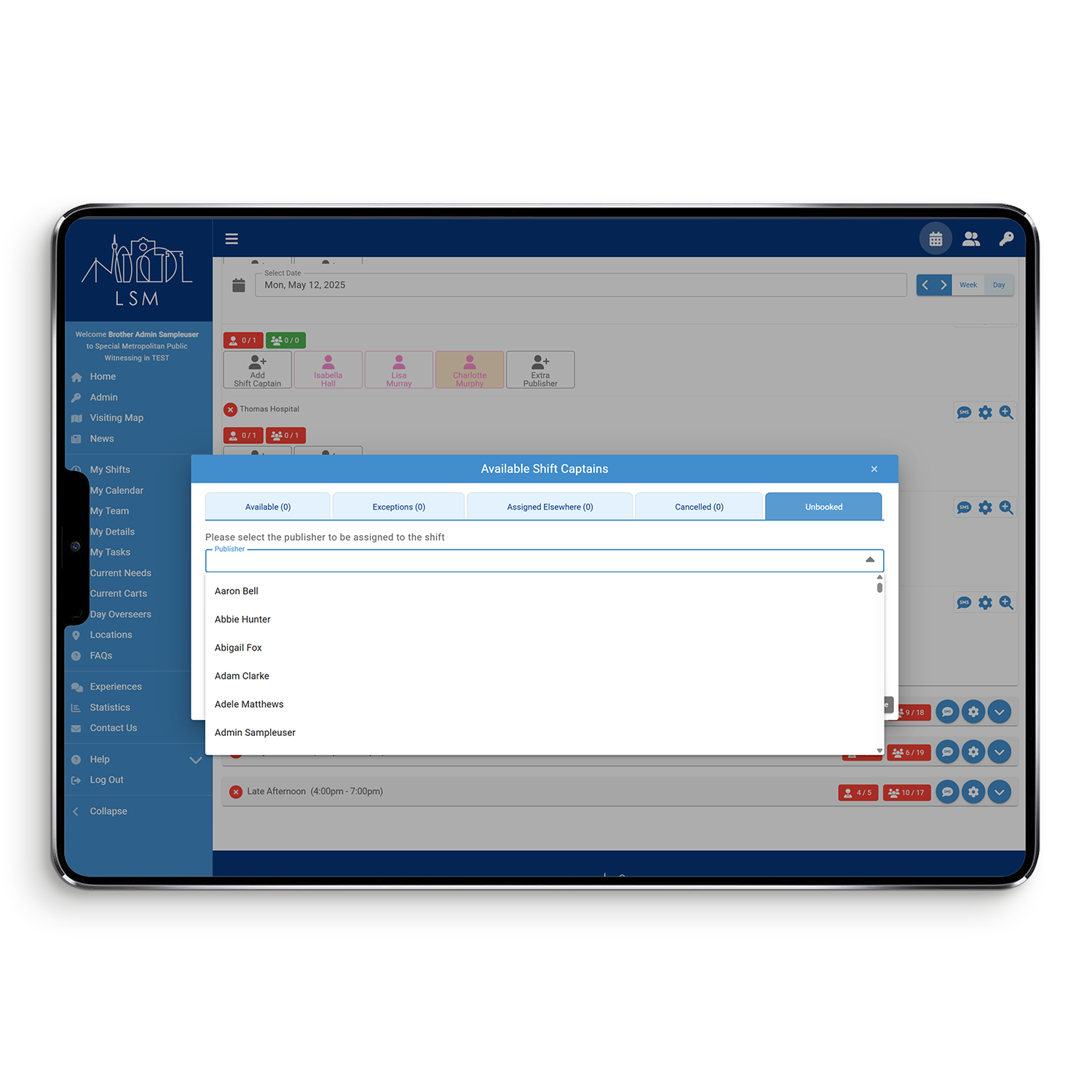
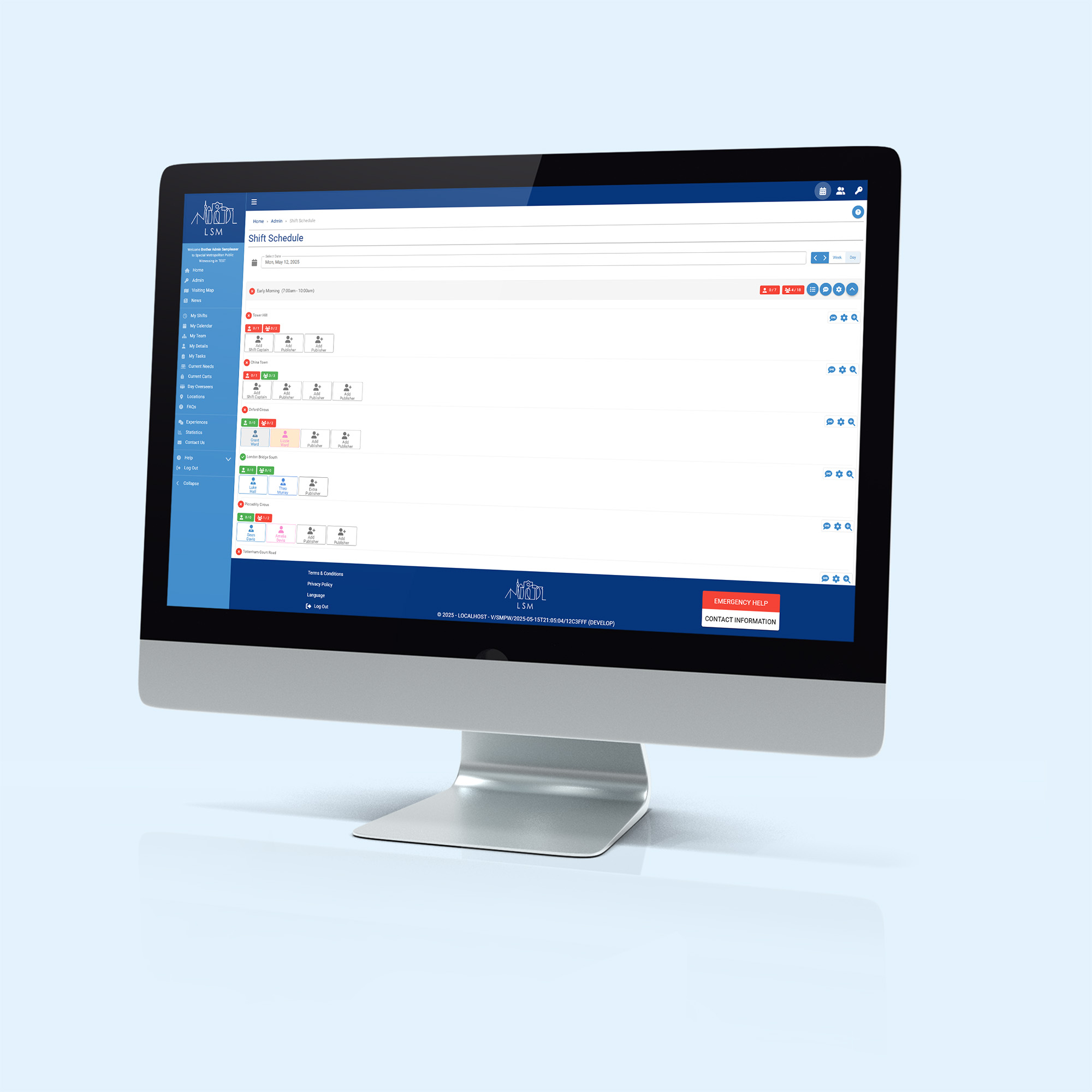
Shift Schedule
Publisher Cards
Shift Plan
Week View
Shift tags
Shift Schedule
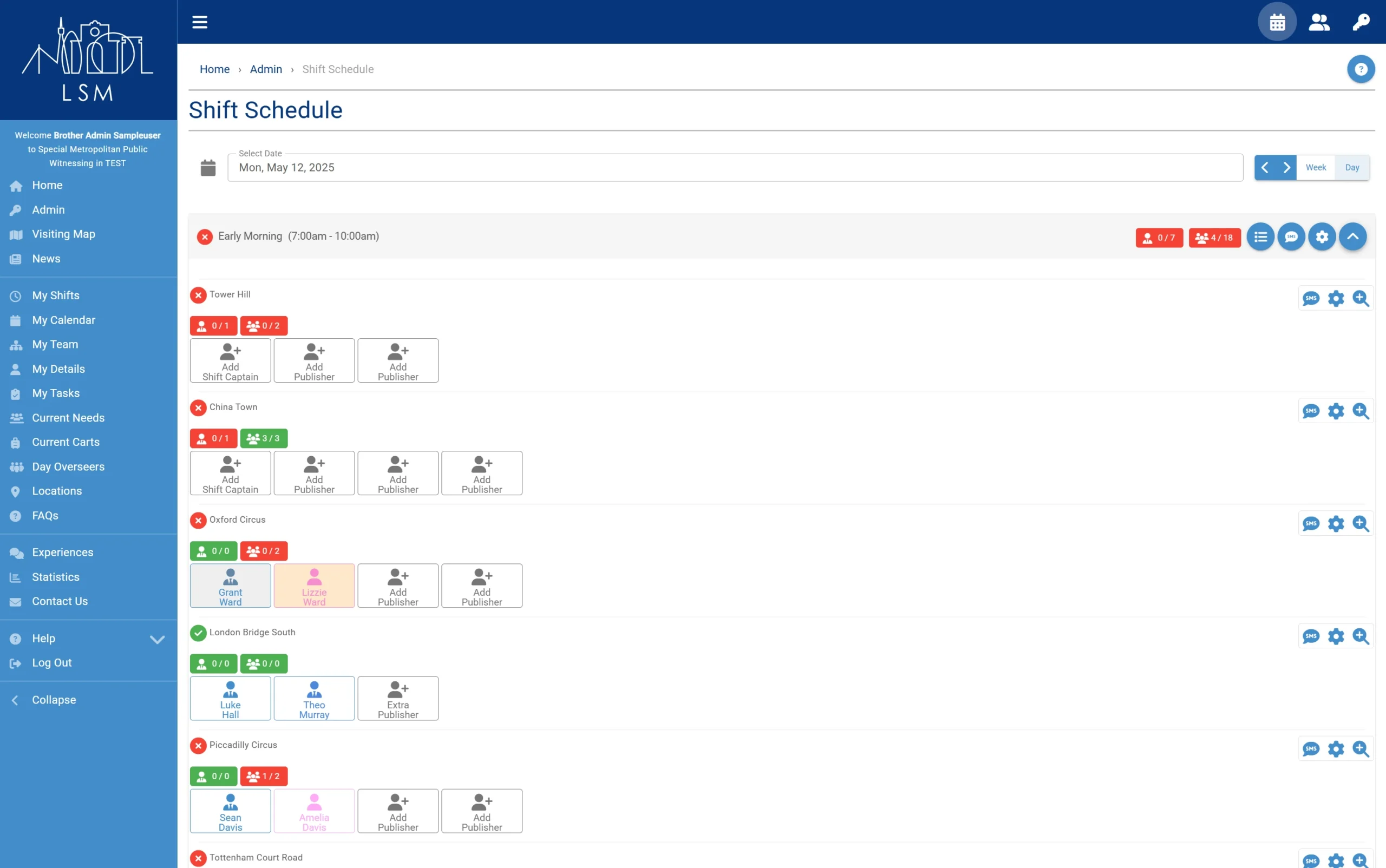
- Numbers show how many people are available compared to how many places you need to fill.
- Colours indicate if there is something for the admin to do. Green shows the shift is fully organised, orange shows there are people that can be sorted, red shows there is nothing you can do until more publishers are available.
- Send a text message to all publishers on the shift.
- Flashing icons indicate a married couple or guardian/minor would like to be assigned to the same shift.
Publisher Cards
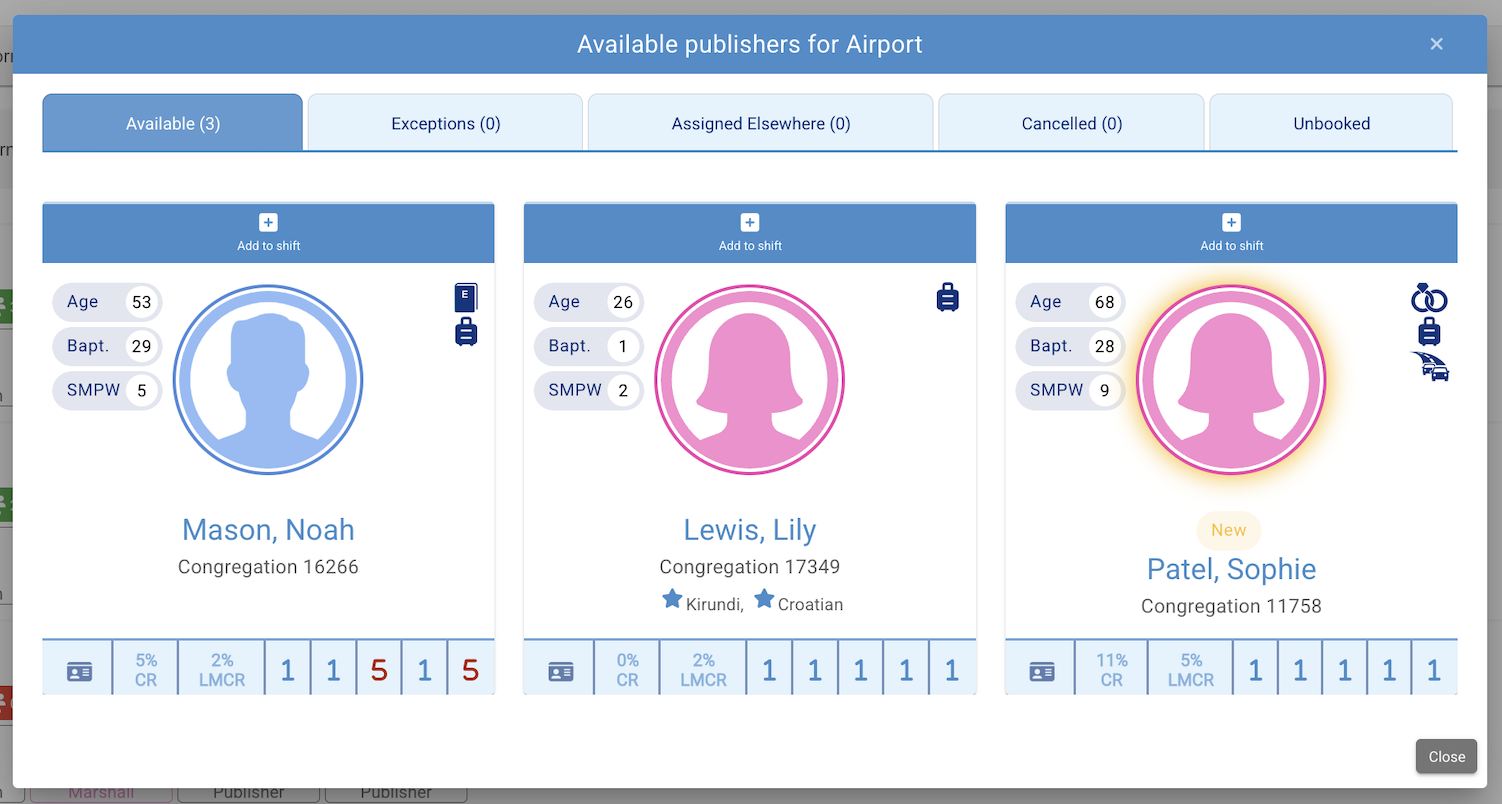
Publisher cards display helpful information when choosing who to assign to the shift, like how many shifts they have done or which languages they are fluent in.
The bottom of the card displays the publisher’s Cancellation Rate, Last-Minute Cancellation Rate and a rating system based on things like dependability or dignified appearance.
Shift Plan
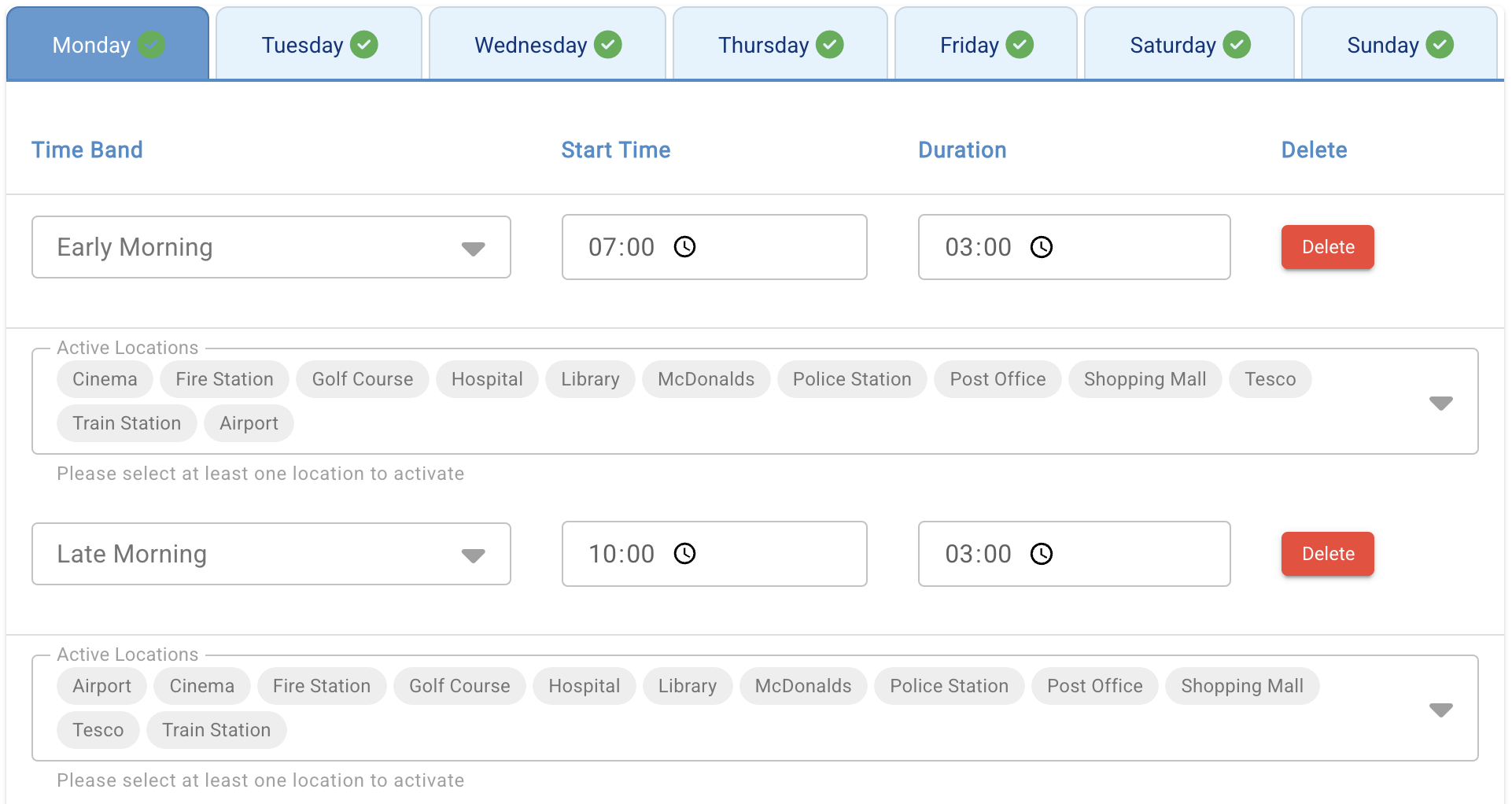
Shift plans are fully customisable, ensuring flexibility in the scheduling system so that it works for each city.
You can create all the time bands and locations needed for the shifts in your city.
Week View
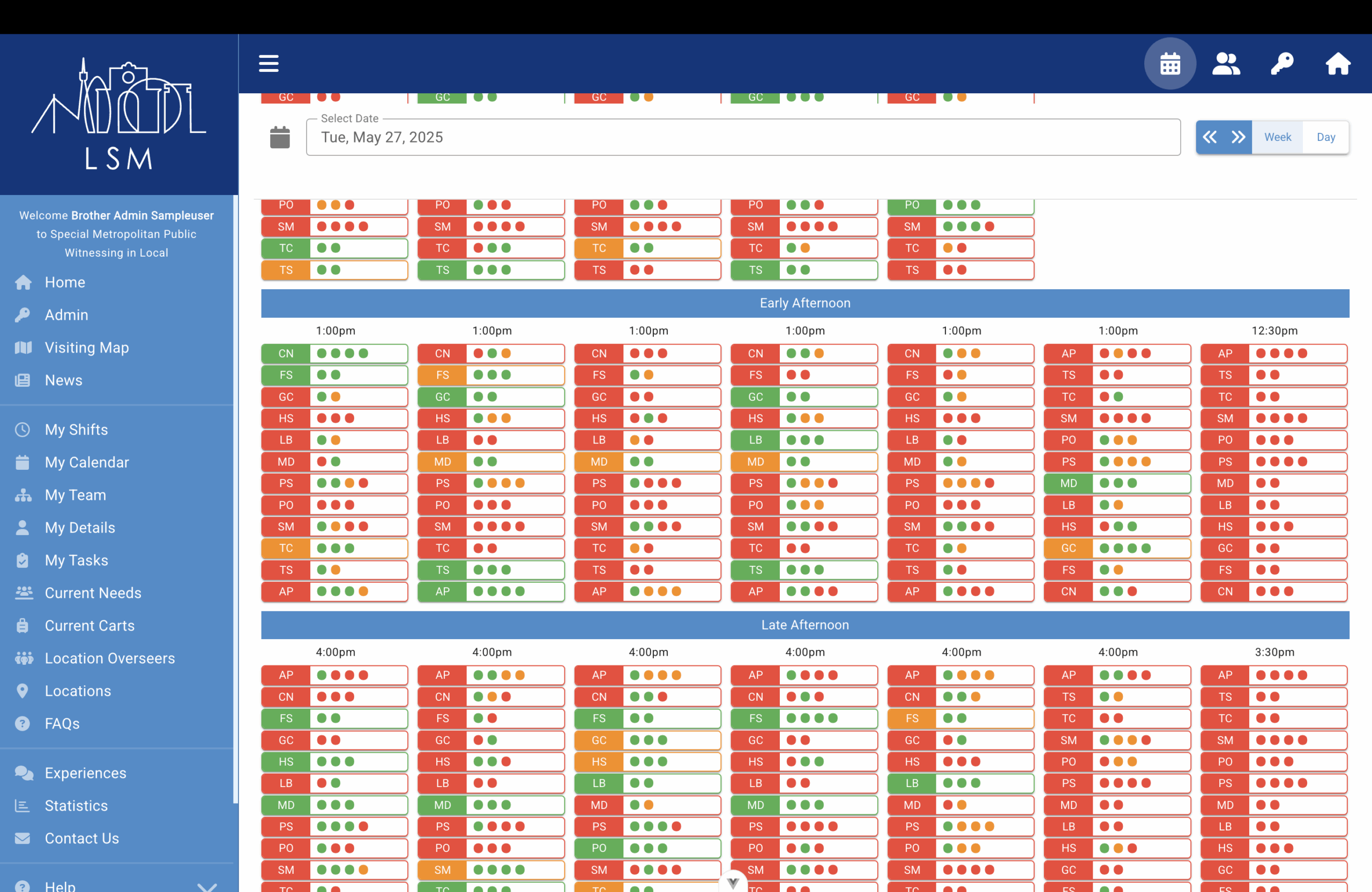
Week view gives ‘at a glance’ information.
Shift tags
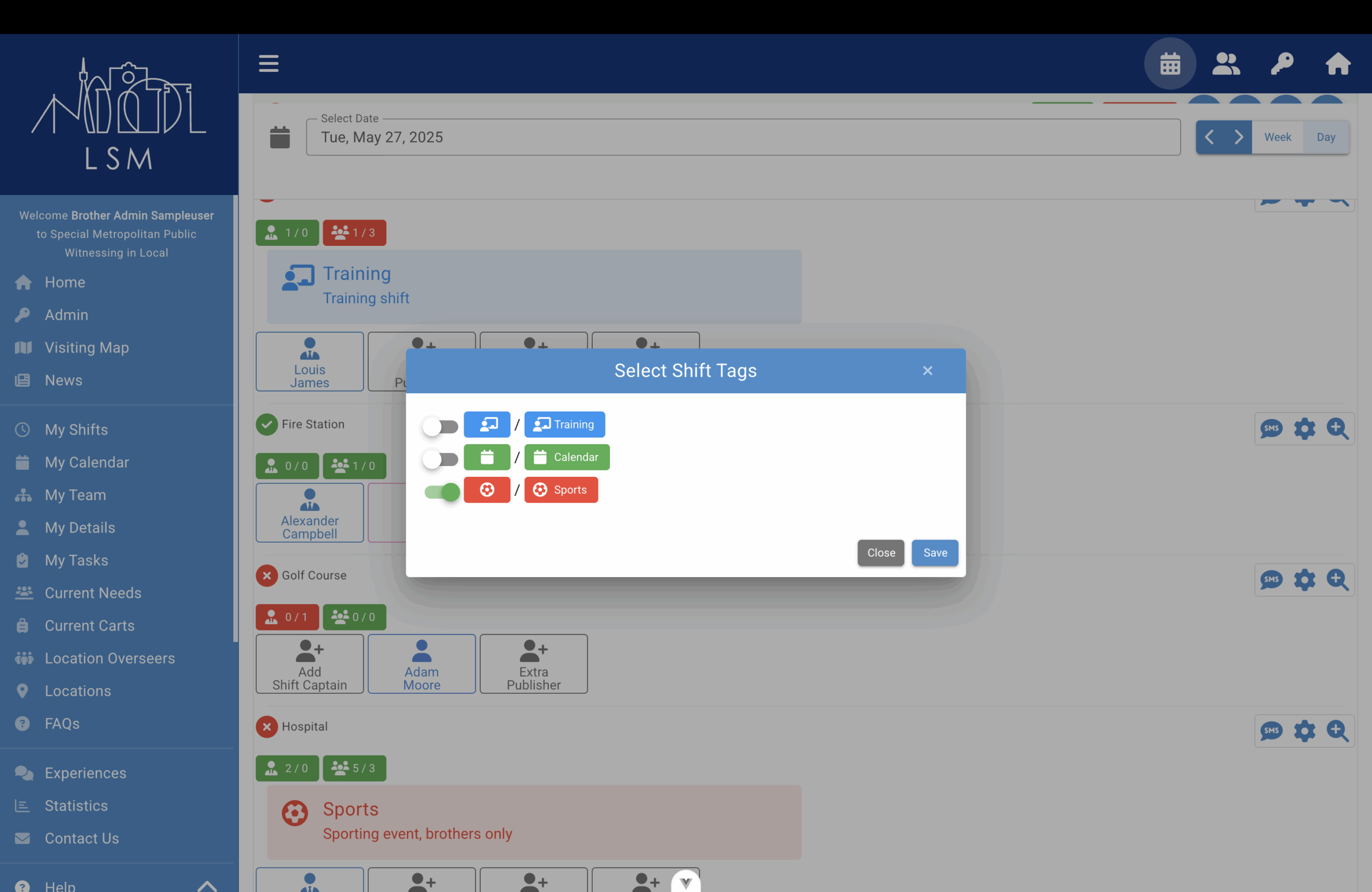
Shift tags can be used to highlight specific details about a shift or location.
Tags can be applied individually or simultaneously to all shifts at a particular time or location, making it easy to flag things like “Training Shift”, “Do Not Assign” or any other relevant note.